
Make a super cute “sleeping baby” sign to hang in your front door or in the nursery door to prevent people from ringing the doorbell or making loud noises while your little one is sleeping!


I have to start by sharing that the layout and phrase are not my original idea when I started to search for ideas for the nursery I saw a similar sign, but it was a calligraphy wood sign and it was hanging with a chain on the doorknob.
I wish I would have saved the image, so I could source the original inspiration, but I only sketched that idea and never saved the image (I know! Bad blogger!!) I can only blame my early pregnancy brain =]
So if any of you know the source I'm talking about I'd love to know where that image was from.


Now to the project, for the graphics, I used the free font Flamenco created by fellow Chilean Designers of Latinotype for the Google Font Directory and the font Peoni Pro by Emily Conners, just in case you want to get creative yourself!
The process
For the banner, I used my cutting machine to cut out the shapes on a white flocked heat transfer sheet.
After I cut the shape I ironed it on a piece of green fabric, I just made sure that I had enough room on the top and on the bottom so I could turn that piece into a little flag.
I needed enough space in the top to fold over and sew a little pocket so that I could pass a dowel inside the little pocket we made.


I cut a back for my flag and sewed around them, added a top to pass a dowel through, then I added rope on both ends to hang =]
The file options to download
Since I know not a lot of people have a cutting machine I wanted to share my graphic for those who have one and the ones that don't.
So for the ones that don't have the tools to make a banner I am sharing a multipage PDF that you can print in 5 different colors!
With this file, you can just pick the color you like the most and print that one, frame, and hang! Or you can print it on card-stock, cut it on a banner shape, add a dowel on the back and you have your own version out of paper =]
The files are linked and stored on Dropbox, you do not need an account to open them, but if you prefer to save them to your account, I recommend you to create a free account here. If you are in a mobile device, you might have to download the app and click on “open with Dropbox” in order to see the files.
USAGE: I just ask you lovelies to use this only for personal/non-commercial only, if you share them or blog then please share a link to this post and not directly to the download file, because that's considered stealing and I made this because I love rewarding my readers, Ok?. Thank you!
Download the PNG for cutting machines
As I already mentioned, you can use this image for any cutting machine, just upload it to your machine's software and trace it. That's it!
DOWNLOAD the PNG IMAGE
Download the PDF for printing
The multipage PDF file with 5 different colors, to see that file you will need to have Abobe Reader installed on your PC or MAC. Without the program, you will not be able to download or preview the file. If you have trouble please visit this link, because each browser works differently.


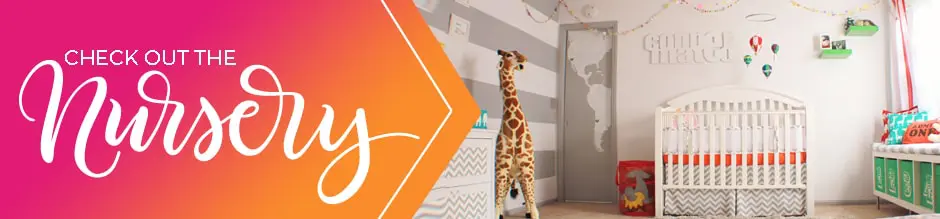
And remember to check out the nursery reveal for a peek at this project in use.

I hope you guys had a lovely day!
judy
Monday 31st of December 2012
I love the map on the door.we are adopting from Peru...and i would love to do this for her. how did you do this?
Joy
Monday 14th of January 2013
Hi Judy, congratulations! for the door map I sketch the map just following a picture, since my door is small (pocket door) and the painted with a brush. I recommend you this post: http://www.howjoyful.com/2012/08/my-studio-escalating-a-graphic-for-a-mural-the-old-way/
Melanie
Sunday 2nd of September 2012
I love this so much! I feel like a dork though, because I can't get the .png to download; all I get when I click on it is a big black rectangle. Am I doing something totally wrong?
Joy
Sunday 2nd of September 2012
Hi Melanie, I'm not sure why is that happening, but just right click on it and select the "open in a new tab or window" option to see it =]
Anni
Monday 20th of August 2012
I love this!! your choice of fonts is so perfect!
Eleyn @Sweetsandlife
Saturday 18th of August 2012
Aw so cute! I love it. I can't wait for the final reveal of the nursery. :D
Joy
Sunday 2nd of September 2012
I can't wait to be done =] I'm so slow now! I feel like it's taking me forever
Jody
Tuesday 14th of August 2012
This is adorable!! Thank you for sharing :)